



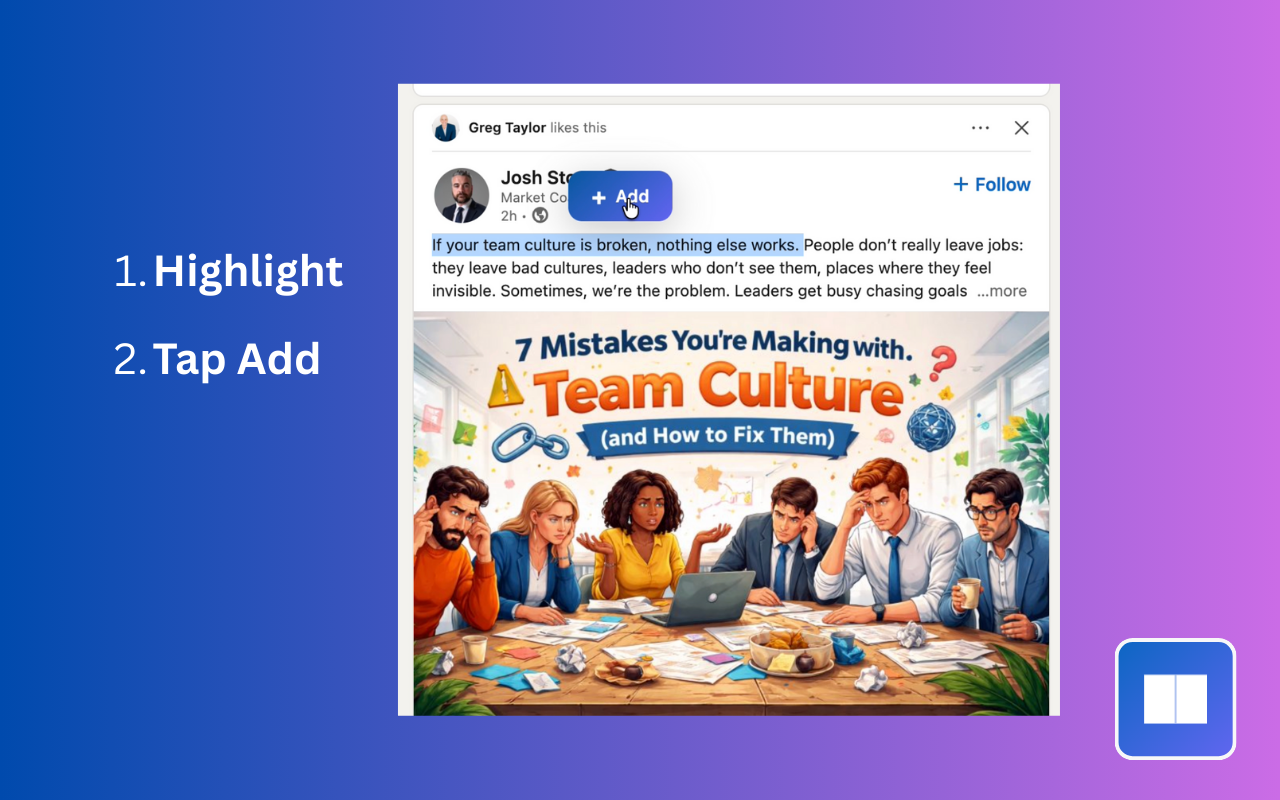
If you use LinkedIn the way I do, you’ve probably run into this: you’re scrolling, something useful pops up—a tip, a framework, a line that really lands—and you think I should keep this. So you hit Save. Then weeks later you need it and… it’s buried in a long list of saved posts, or you can’t remember who said it or why you saved it. Or you never go back at all.That’s exactly why I built LinkedBase.
LinkedIn’s save feature is fine for “save for later.” It is not fine when “later” means find this one idea again, or organize what I’m learning, or build a small knowledge base from what I read. I got tired of losing good stuff. I wanted to highlight the part that mattered, tag it, add a note, and have it in one place I could actually search and filter. So I made an extension that does exactly that.
What LinkedBase Actually Does
When you’re on a LinkedIn post (your feed or a single post page), you highlight the text you care about. A small “Add” button appears. You click it, add tags (e.g. “career,” “SQL,” “leadership”), optionally add a note, and save. That highlight is stored locally in your browser—your data stays on your device. You’re not sending it to a third-party server. From the extension popup you get a simple knowledge base: search by text, filter by tag or author, mark favorites, and open the original post with one click when the URL was captured. You can export your highlights as JSON for backup or use the optional auto-backup so you don’t lose your library. It’s built to be private, fast, and under your control.
Who It’s For
- Learners who treat LinkedIn as a source of ideas and want to keep and organize those ideas instead of losing them in the feed.
- Professionals who save a lot of posts and want to find “that one post about X” without scrolling forever.
- Anyone who’s ever thought “I wish I could highlight and tag this like I do in a doc or a read-later app.”
If you’ve ever been frustrated that saving on LinkedIn doesn’t give you highlights, tags, or a searchable library, LinkedBase is built for that gap.
Not Just Chrome
LinkedBase is a Chrome extension, but it runs in any Chromium-based browser. So if you use Brave, Edge, Opera, or another Chromium browser, you can install it the same way (e.g. from the Chrome Web Store, if you’re allowed to add Chrome extensions in that browser). Same extension, same behavior.
TL;DR
I built LinkedBase because LinkedIn’s save feature wasn’t enough and I was tired of losing interesting information. It lets you highlight, tag, and save bits of posts into your own local, searchable library—with backups and no extra account. If that sounds useful, give it a try; if you have feedback or ideas, I’d love to hear them.
Get it for FREE: https://chromewebstore.google.com/detail/jboaoenijionhenhgieblhaijnchajkd
 Share this post on social media.
Comments
No comments yet.