




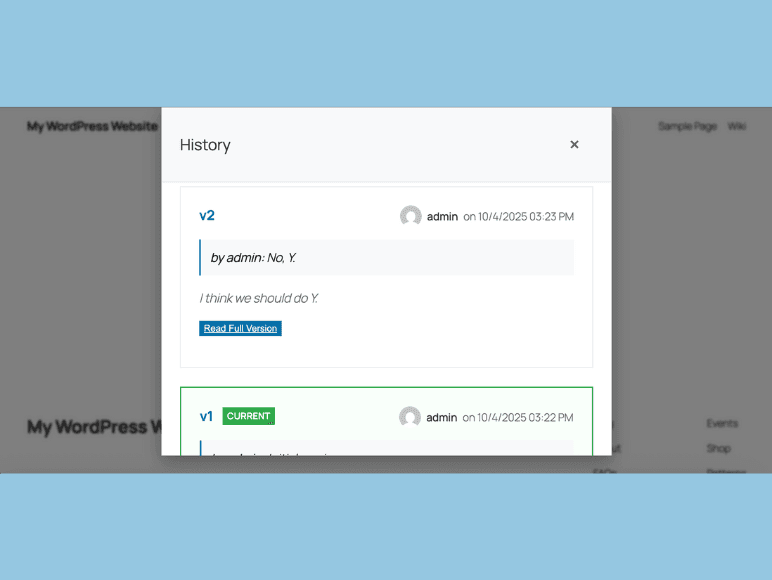
Off and on I’ve been working on a free plugin for WordPress which lets you easily add a wiki block to any post or page using the Gutenberg Block Editor. It’s simply called Wiki Blocks. After installing the plugin, you start a new post or page, start typing “/wiki” and select Wiki Block. Add content, which for now allows basic formatting and images. Once published any member of your WordPress website/blog can tap on an edit icon and make changes. Their changes of course will not appear unless you approve them.
The Gutenberg team is already adding collaboration features to the editor, but a plugin like Wiki Blocks has great potential to add an additional layer of world-wide collaboration to any WordPress website while keeping the public out of your back end.
It’s a personal preference and not needed for large organizations that are good with trusted team members being in the dashboard, but I often like to block off access to the admin area. It’s also a design thing; sometimes I want my front end design to be the only thing people see. That’s why when I build plugins, often times, I make it so that moderating, or changing settings, can be done safely with the right permissions from the front end.
I was originally inspired to create this while thinking about politics and the world in general. Not to get too heavy, but in my opinion we’re struggling as a species in various ways. You’re either in the, “no, duh” camp or you’re thinking everything’s fine. Either way, I was thinking, if you put all the world’s brain power in one room couldn’t we solve huge issues like, hunger? Or, wide-spread psychological abuse? Or, a failing economy? Then I thought you could use a tool like this to, with the public’s help, do something like re-write a constitution for a country. Get everyone’s input… make it better. Imagine!
So, Wiki Blocks is true democracy built to solve the world’s problems.
But, more realistically, it’s also good for simply letting any reader suggest a change to an article. Or, just for fun! For example, maybe you have a box in your sidebar where you experiment with letting users write a poem together.
The First Roadblock
The plugin is available at wordpress.org, and as of this writing it’s at version 1.1.0. Version 1.0 was text only. Version 1.1 allows formatting and images. Why not allow all blocks within the wiki block? That’s easy to do on the back end side. But, I stumbled to get it working seamlessly on the front end. Remember, I want people to suggest changes on the front end. Although I’ve seen examples of loading the block editor on the front end, I need to do more research to make this happen well.
For now, the front end editing experience uses a lightweight, custom editor to allow text formatting, links, and images. This is enough for many wiki editing situations. After all, I mostly think of this as a tool for articles, documentation, and other text-heavy situations.
The long term roadmap would be for version 2.0 to use all block editing features front and back. Maybe. 🤔
 Share this post on social media.
Comments
No comments yet.